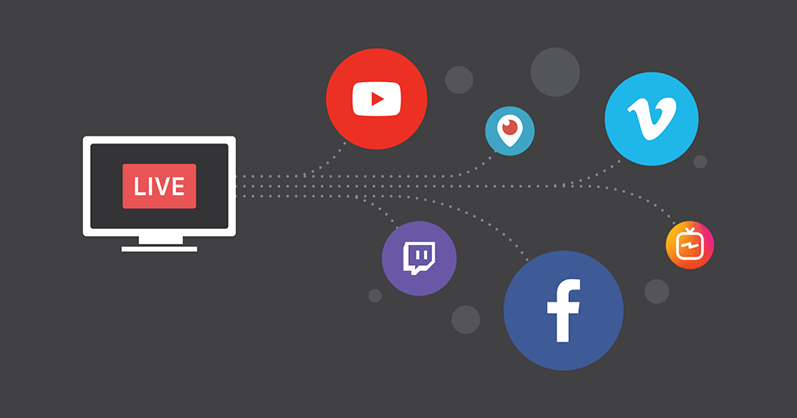
Gone are the days of choosing between Twitch or YouTube. In 2026, "Simulcasting" is the industry standard. However, the old method of "Manual Multistreaming"—where your computer encodes 5 different videos at once—is dead. It kills your CPU and makes your stream look like a slideshow.
If you want to reach audiences on Twitch, YouTube, Kick, TikTok, and X (Twitter) simultaneously without your PC sounding like a jet engine, you need a 2026 workflow. This guide covers the "Single-Stream Cloud" method, which allows you to send one high-quality feed and let the cloud do the heavy lifting.
1. The Method: Why "Cloud Distribution" is King
In 2026, the only way to stream to 5+ platforms lag-free is through Cloud Encoding.
-
How it works: You send one high-quality stream from your home to a remote server. That server then duplicates and pushes your feed to all 5 platforms.
-
The Benefit: Your PC only uses the bandwidth and CPU required for one stream, but you appear everywhere.
2. Top Tools for 2026
To execute this, you need a reliable "Restreamer." Here are the current top picks:
-
Restream.io: Still the gold standard. It offers native integration with TikTok Live and a "Unified Chat" that pulls messages from all 5 platforms into one window.
-
StreamYard (Studio Version): Best for non-gamers or talk shows. It’s entirely browser-based, meaning zero load on your local hardware.
-
Aitum Vertical (OBS Plugin): Specifically for those who want to stream Horizontal (YouTube/Twitch) and Vertical (TikTok/Reels) at the same time. It allows you to create two separate canvases in one OBS instance.
3. Step-by-Step Setup
-
Connect Your Destinations: Log into your chosen cloud tool (e.g., Restream) and link your Twitch, YouTube, Kick, and X accounts. For TikTok, you will likely need to paste your "Stream Key" and "Server URL" found in the TikTok Studio app.
-
Configure Your Bitrate: In 2026, for a 1080p/60fps stream, you should set your bitrate to 6,000–8,000 Kbps. Because you are only sending one feed to the cloud, you don't need to multiply this by 5!
-
Optimize Your OBS: If using OBS, go to Settings > Stream and select your cloud service. This ensures you aren't using "multiple outputs" on your local machine.
4. Hardware vs. Network: Avoiding the Lag
Even with cloud tools, "Network Lag" can still happen. Follow these 2026 stability rules:
-
Ethernet is Non-Negotiable: Wi-Fi 7 is fast, but it’s still prone to interference. A wired connection is the only way to ensure zero dropped frames.
-
Use Hardware Encoding (NVENC/AV1): If you have an NVIDIA 40-series or 50-series card, use the AV1 encoder. It provides 30% better quality than H.264 at the same bitrate.
5. Managing the "Chaos" (Unified Chat)
The hardest part of 5-platform streaming is reading the chat. Use a Unified Chat Overlay. Tools like Restream Chat or SheepChat allow you to see icons (a Twitch Glitch, a YouTube Play button, a TikTok logo) next to usernames so you know which community you are talking to in real-time.
Reach Everyone, Stress No One
Multistreaming in 2026 isn't about having a $5,000 PC; it's about streaming smarter. By offloading the distribution to the cloud, you can maintain a professional, high-bitrate broadcast that reaches every corner of the internet at once. Pick your platforms, connect your keys, and stop limiting your growth to a single algorithm.
Read also: The Rise of Niche Hubs: Why 2026 is the End of the Mega-Influencer
